
How to Switch Filters in umi camera: Quickly Explore 100+ Photo Filters
Date: 2025-12-25
Switching Filters
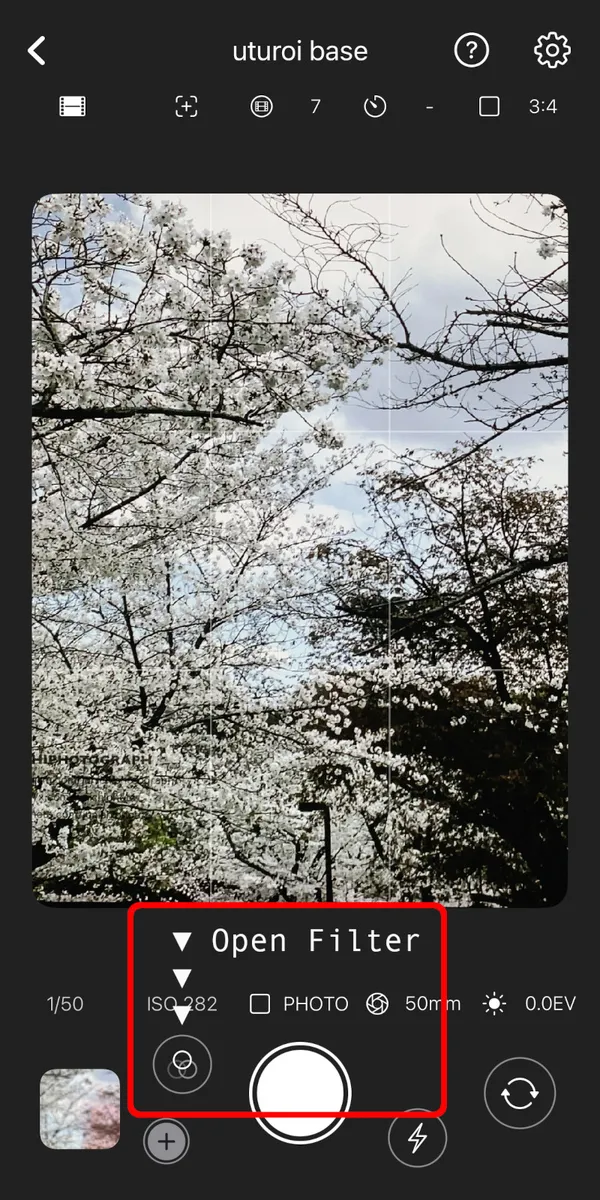
Tapping the filter button located to the left of the shutter button.
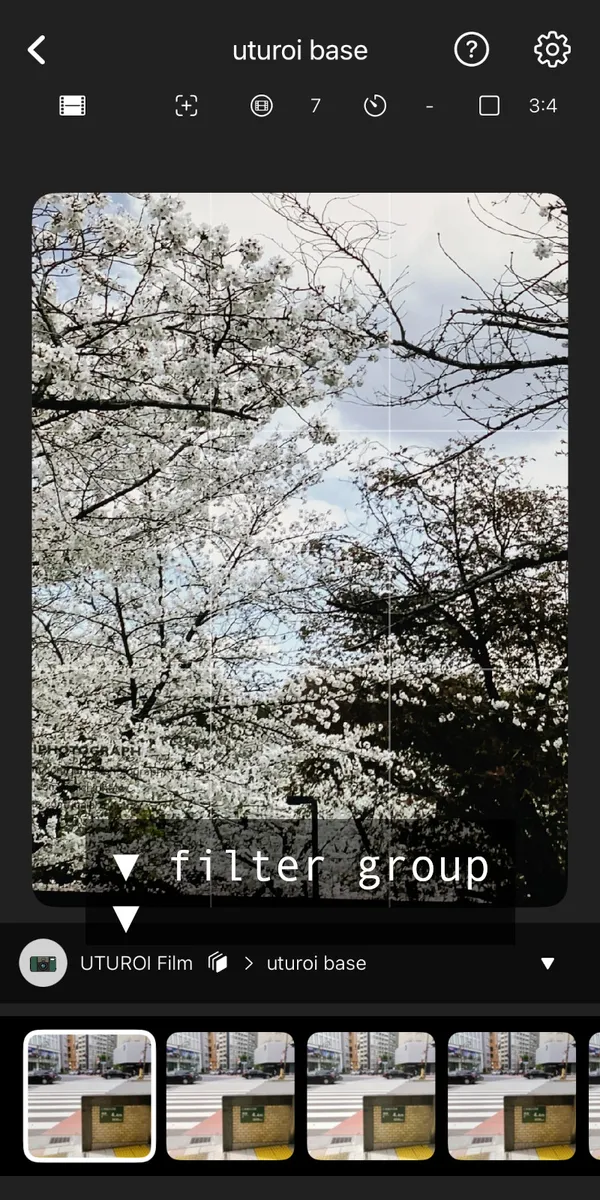
Tapping the filter group to display the full list of filter categories.
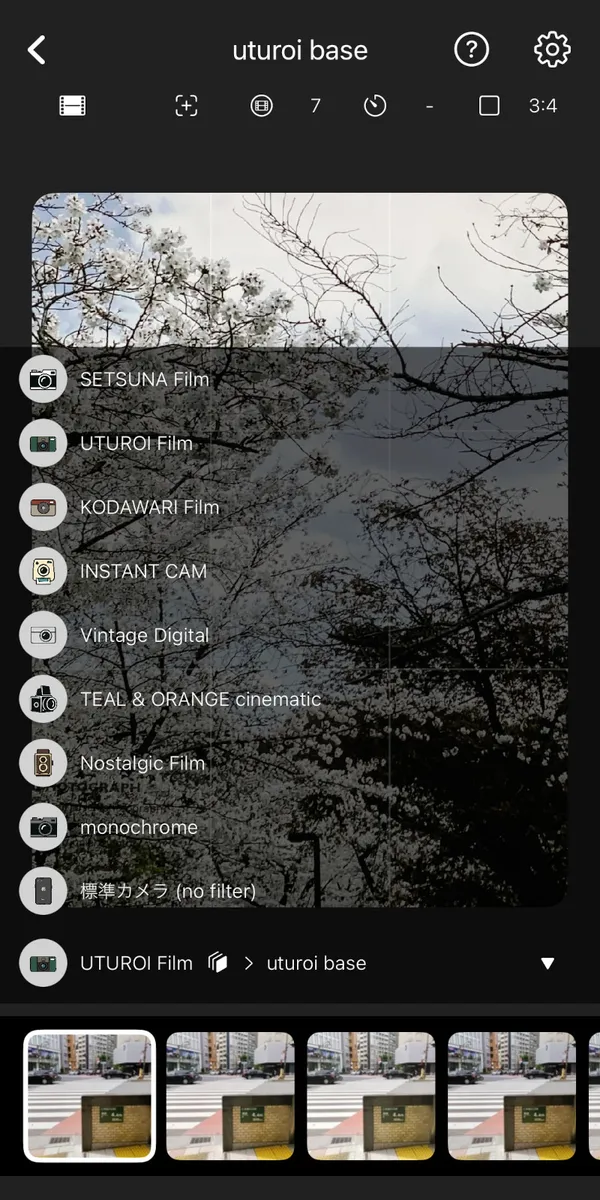
The filter group list view showing available categories in umi camera.
Switching Filters
- Tap the filter icon on the camera screen to open the filter selection.
- Tap the group name above the filters to view the list of filter groups.
- Select a group from the list to change the filter category.
- Swipe horizontally to browse all available filters in the list.
- Tap a filter to apply it and confirm your selection.